
Practical Screen Time Guide
How to choose an Android screen time app: blockers, timers, and smart friction
The right screen time tool depends on the problem you are trying to solve: awareness, hard limits, bedtime use, addictive app design, or short checks that become long sessions.
Last updated:
Direct answer
There is no single best Android screen time app for everyone. If you want strong separation, an app blocker or built-in app timer may be the better fit. If you want to push back against addictive app design while keeping realistic access, a smart-friction tool can help by adding awareness, purpose, time planning, and stopping points. The right choice depends on the problem, your preference, your resistance level, and how willing you are to accept strict limits.
Quick choice guide
- Choose awareness tools if you mainly need visibility into where your time goes.
- Choose blockers or timers if you want strong limits and are willing to accept a firm boundary.
- Choose smart friction if you want to keep realistic access but make app use more intentional.
Three common approaches
Most screen time tools are built around one of these approaches. Many people use more than one.
Approach
Best fit
Main tradeoff
Approach
Awareness tools
Best fit
Understanding where your time goes with reports, app timers, and habit visibility.
Main tradeoff
They often tell you what happened after the session is already over.
Approach
Blockers and timers
Best fit
Creating firm limits when you want strong separation from an app.
Main tradeoff
They can feel too rigid when you still need real access for messages, links, or urgent tasks.
Approach
Smart friction
Best fit
Adding pause, purpose, time planning, and stopping points while keeping realistic access possible.
Main tradeoff
It requires the user to engage with the pause instead of treating it as a hard external wall.
Start with the problem, not the app
Screen time problems are not all the same. Some people need better awareness. Some need hard limits. Some need bedtime protection. Others need help because modern apps remove friction, purpose, and natural stopping points.
Before choosing a tool, ask where the habit breaks down. Do you need to notice your pattern, stop opening an app automatically, plan how long you want to stay, or get help leaving when the feed keeps going?
Tracking alone often comes too late
Built-in screen time reports can be useful because they show patterns. But they usually tell you what happened after the time is already gone.
If you already know which apps pull you in, the next step is not only measurement. It is changing the moment where the habit starts.
Hard blockers help some people, but not every situation
Strict blockers can work well when you want full separation from an app, when the app rarely has a legitimate use case, or when you already know you will ignore softer reminders.
They can be less comfortable when real life still requires access: replying to one message, checking one link, or handling something urgent. In that case, people sometimes disable the blocker entirely.
Smart friction helps in a different way
Smart friction does not try to make every distracting app impossible to open. It tries to put choice back into moments where addictive app design removes it.
That can mean pausing before entry, asking for a purpose, making a time plan before the feed starts, adding reminders while the session is still happening, or creating a stronger stopping point when the user keeps extending.
This approach can fit people who resist hard blocking, need occasional access, or want to build intentional use over time. It is weaker than a strict blocker if the user wants a firm external boundary.
What to look for in an Android screen time app
Most screen time tools fit into three simple groups. The right one depends on how much control you want and how much flexibility you still need.
- Awareness tools show patterns, reports, and app timers.
- Blocking tools create stronger limits when you want a firm boundary.
- Smart-friction tools add pause, purpose, time planning, and stopping points while keeping some access possible.
Choose based on how strict you want the system to be
If you mainly need to understand your habits, start with built-in reports and app timers. If you want a firm external boundary, use a blocker.
If you often bypass strict rules, or if you still need realistic access, a smart-friction tool may be more sustainable because it adds choice instead of only saying no.
Other options may be enough
You may not need a separate app at all. Android Digital Wellbeing, Focus Mode, notification settings, bedtime mode, or simply moving distracting apps off the home screen can be enough for some people.
Start with the smallest tool that solves the problem. Add stricter limits only when softer changes are too easy to ignore.
Where smart friction fits
A smart-friction app is one option for people who do not necessarily want to delete every distracting app, but do want help pushing back against design patterns that make stopping harder.
LoopCut is an example of this category: pause first, choose why you are entering, set a time plan, and keep urgent access possible. For bedtime scrolling, a stronger sleep boundary can keep selected distractions blocked while essential apps remain available.
Where smart friction is different
Many screen time tools rely on hard blocking, strict timers, or other external restrictions that work against the user's immediate impulse. Smart-friction tools focus more on the moments before and during distracting app use.
That means it is not only trying to forbid use. It is trying to add back the awareness, purpose, time planning, and stopping points that addictive app design often removes.
When this kind of tool is a good fit
A smart-friction tool is a good fit if your main problem is addictive app design making use too automatic, short checks turning into long sessions, losing awareness of purpose, or bypassing strict blockers because normal life still requires access.
- You open social or video apps without thinking
- You lose track of why you opened the app
- You want to plan how long you stay before the feed starts
- You want stopping points when infinite scroll or autoplay keeps going
- You want to use apps intentionally, not delete everything
- You need quick access for real tasks
- You scroll most at night or during low-energy moments
When LoopCut may not be enough
LoopCut is not medical treatment, and it is not a substitute for professional help if phone use is connected to serious distress, sleep loss, depression, anxiety, or compulsive behavior that feels unmanageable.
It can also only help to a certain extent when scrolling is a response to a deeper need, such as loneliness, exhaustion, stress, or avoiding something painful. In those moments, a pause can create space, but the root cause still needs attention.
It is best understood as a practical tool for adding stopping points back into daily phone use, not as the full solution for every reason someone reaches for the phone.
Privacy and permissions matter
Android screen time tools often need permissions to detect when selected apps open or to show an overlay at the right time. That does not mean every tool should collect personal content.
Before using any screen time app, check what it says about messages, browsing history, notifications, and typed content. LoopCut is designed to avoid collecting personal content such as messages, browsing history, notifications, or what you type in other apps.
Research basis
The smart-friction idea is related to peer-reviewed self-nudge research. A six-week PNAS study found 57% fewer target app openings with short self-nudge interventions.
That result comes from the cited study, not from a LoopCut-specific outcome claim.
What smart friction can look like
The mechanism is not about showing another report. It is about changing the moments where addictive app design usually removes choice.
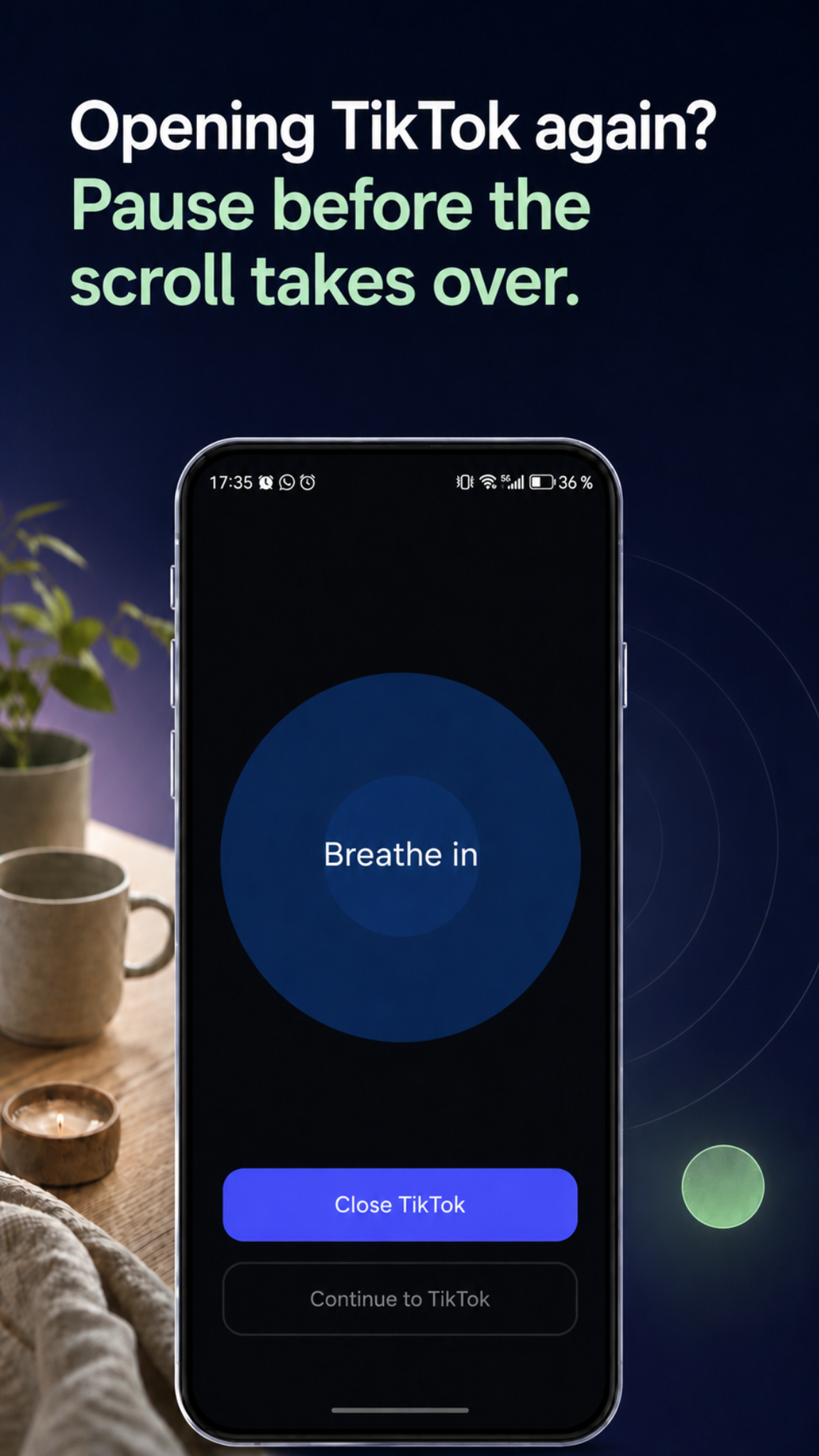
Pause before entry
A short interruption before a distracting app opens can turn an automatic tap into a conscious choice.
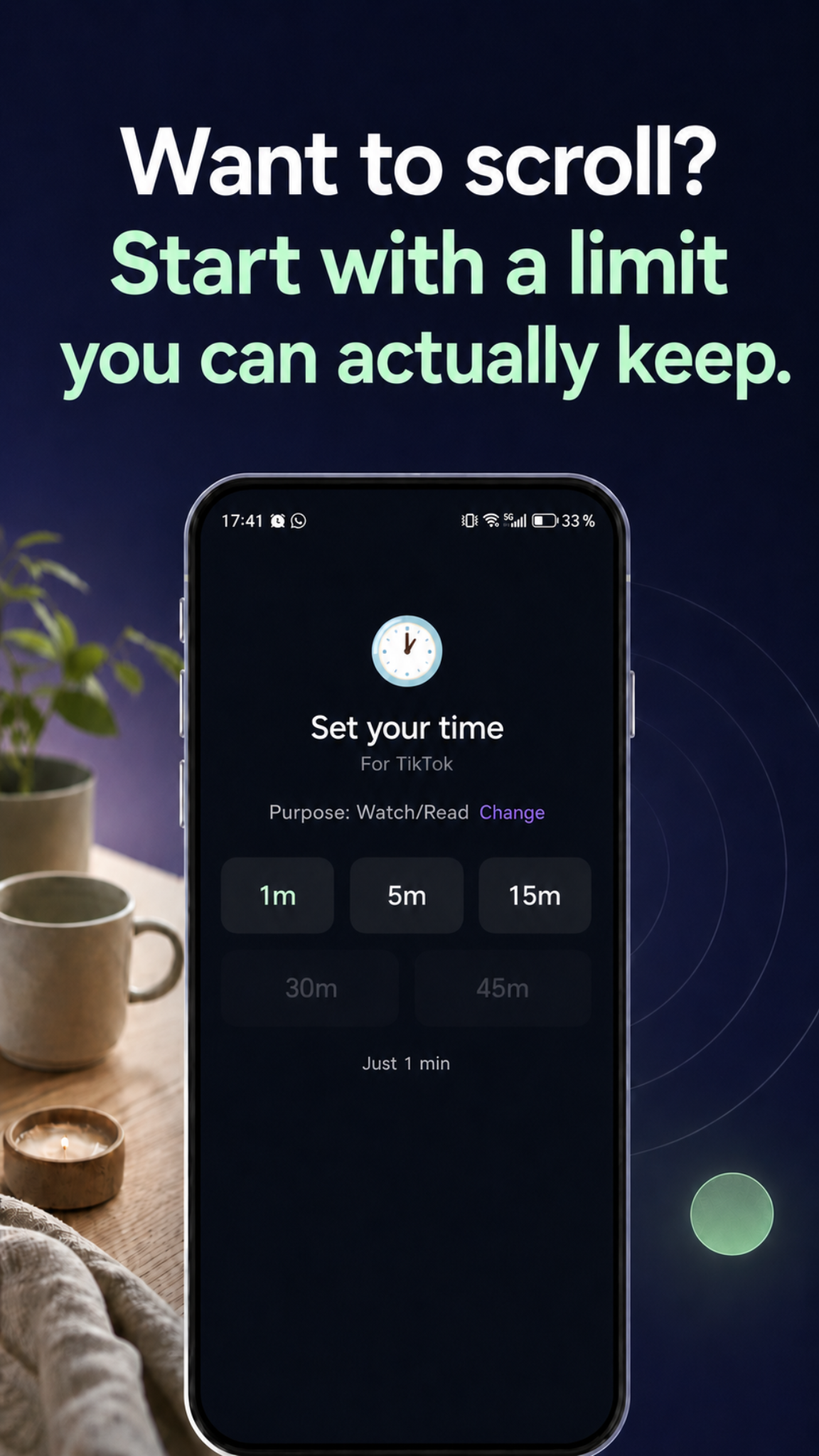
Plan the session
Choosing a purpose and time plan before the feed starts makes it easier to notice when the original reason is gone.
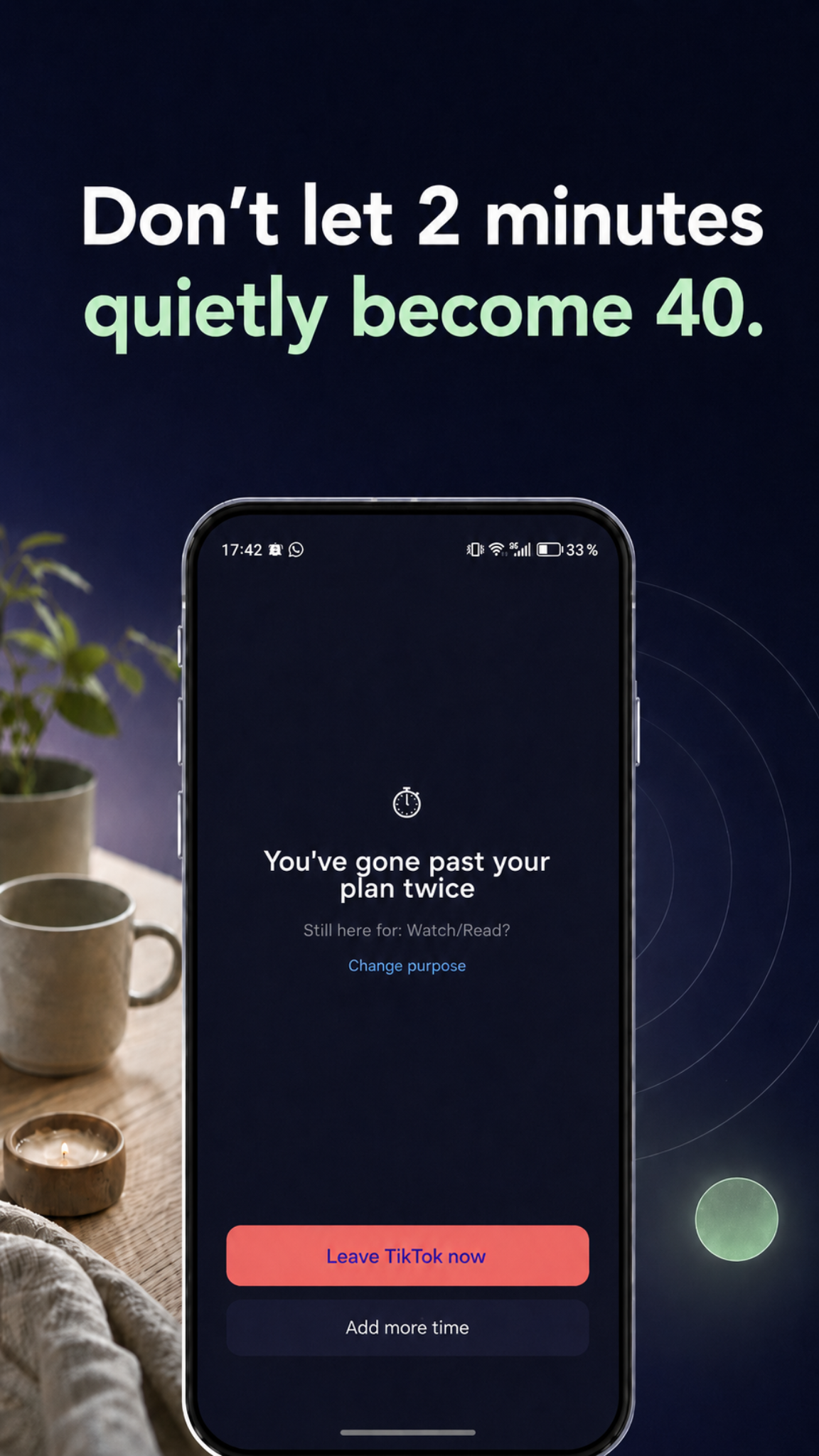
Add stopping points
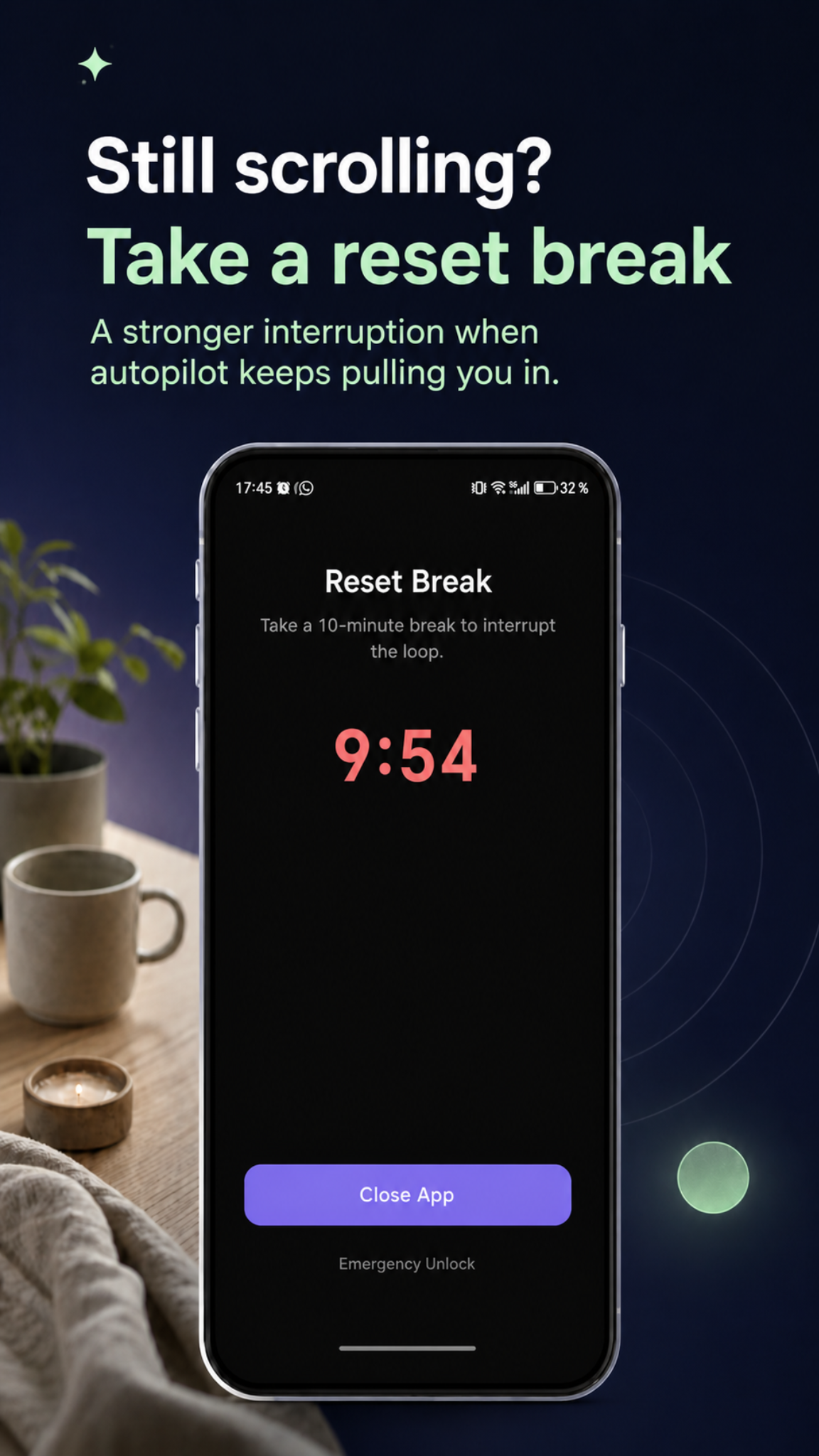
A soft checkpoint can remind the user when the plan is slipping. If the loop keeps going, a stronger reset break can help them step away.
FAQ
Do I need a separate screen time app?+
Not always. Built-in Android tools such as Digital Wellbeing, Focus Mode, bedtime settings, notification controls, and app timers may be enough if your main need is awareness or simple blocking.
Is LoopCut an app blocker?+
LoopCut can block distracting apps, but its main idea is smart friction: pause before opening, choose why you are entering, set a time plan, add stopping points, and keep urgent access possible.
Which apps can LoopCut help with?+
LoopCut can guard distracting Android apps such as TikTok, Instagram, YouTube, Chrome, news apps, and chat apps.
Is LoopCut based on research?+
LoopCut is inspired by peer-reviewed self-nudge research. A six-week PNAS study found 57% fewer target app openings with short self-nudge interventions. This is a research citation, not a LoopCut-specific outcome claim.
Does LoopCut collect my messages or browsing history?+
LoopCut is designed to avoid collecting personal content such as messages, browsing history, notifications, or what you type in other apps.