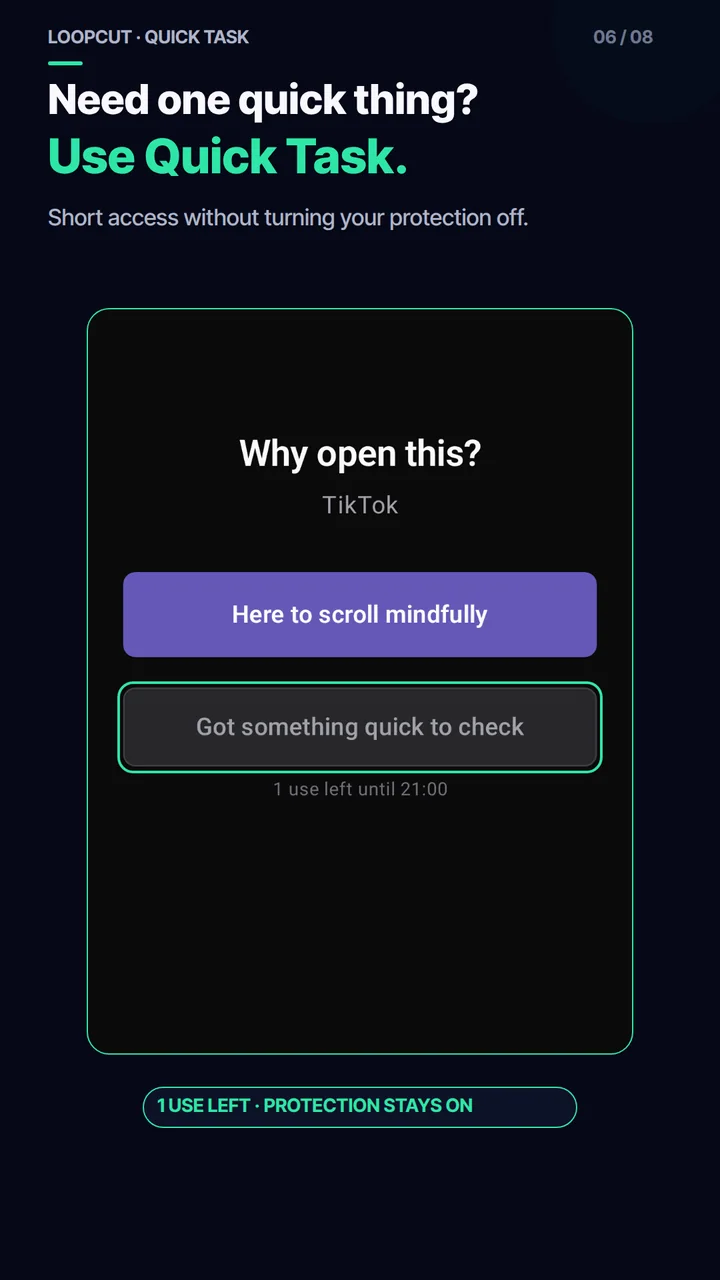
Quick Task
One urgent thing—without turning protection off.
Get short, limited access for the task you actually need.
Android screen-time app · Progressive Friction
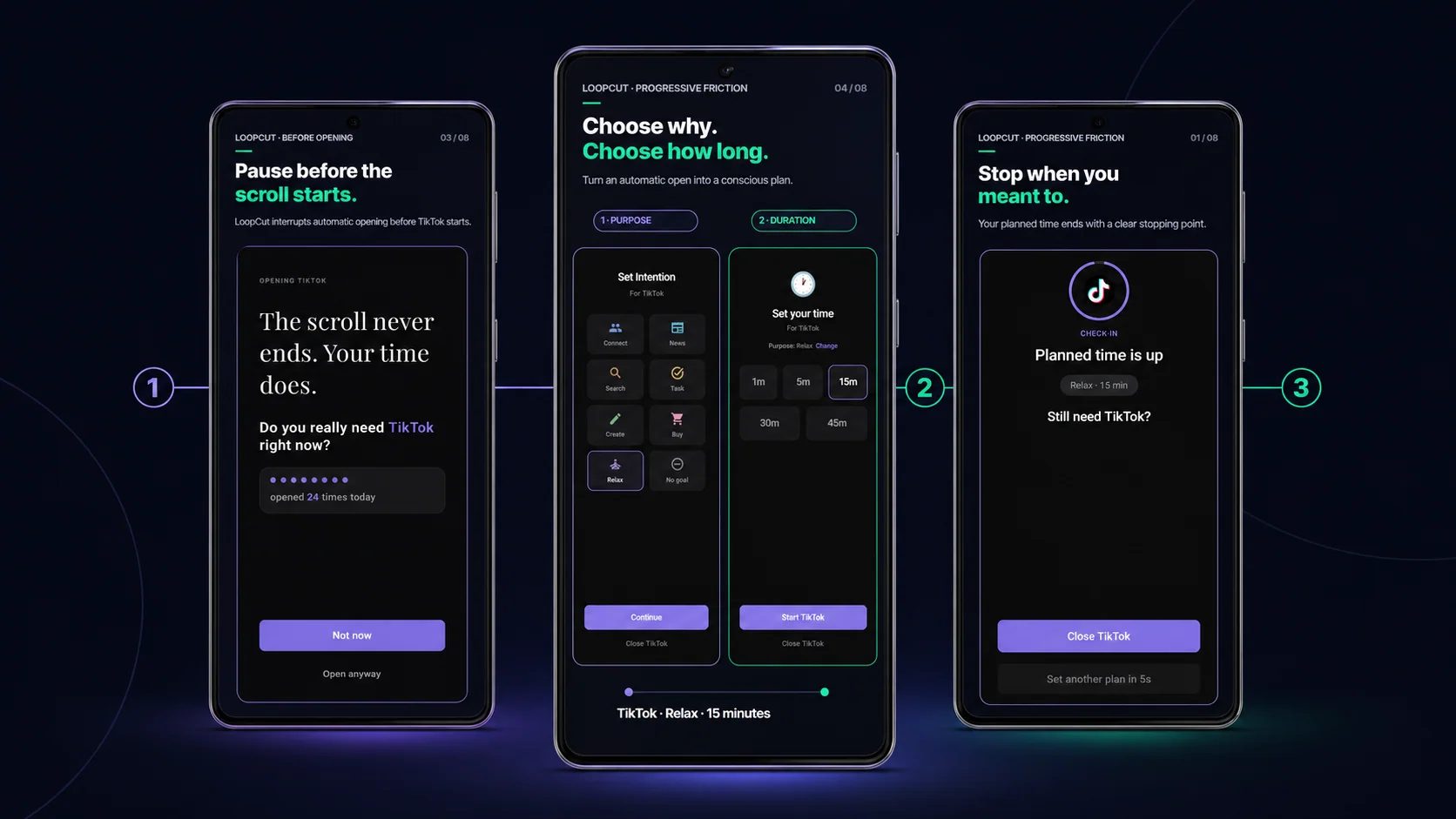
Pause before opening. Choose why and for how long. If you keep going past your plan, friction grows.
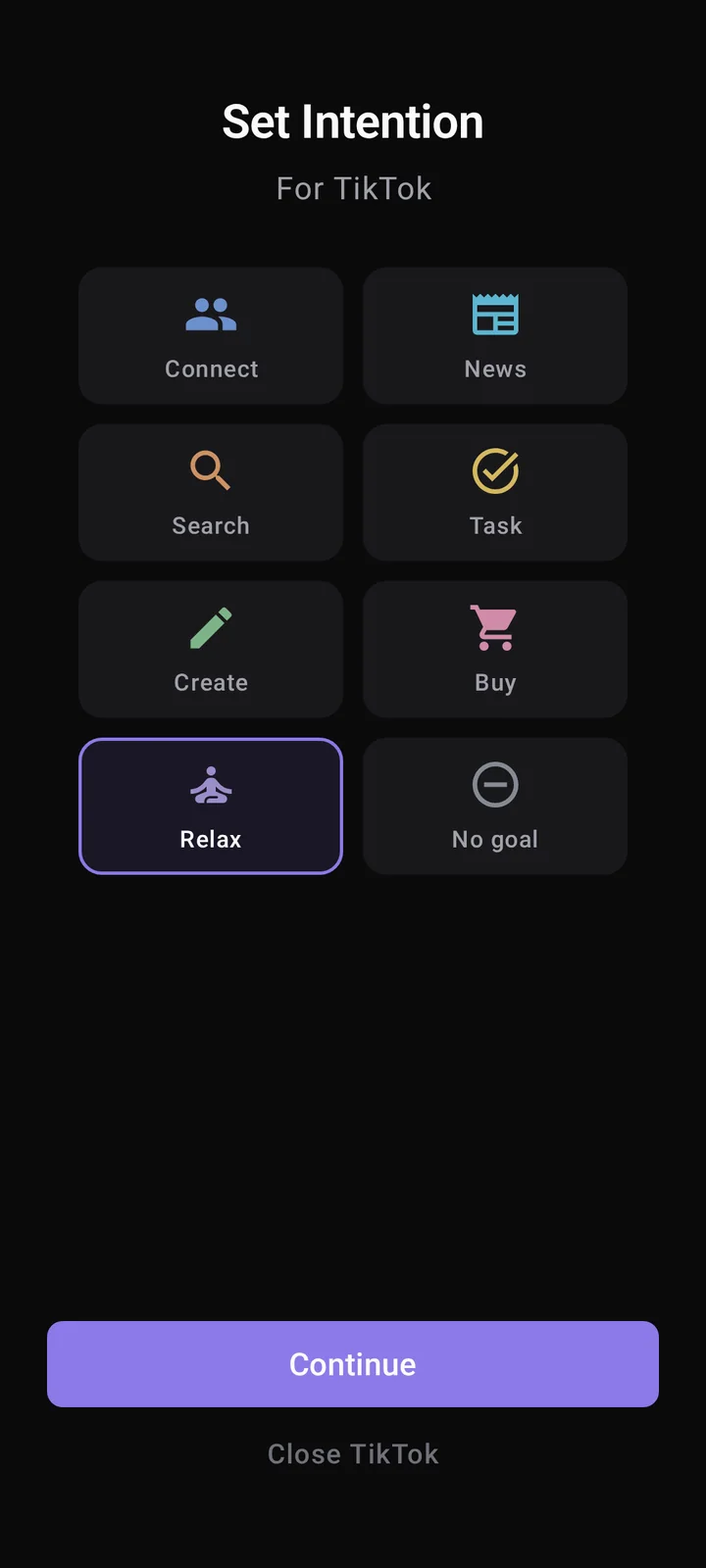 Purpose
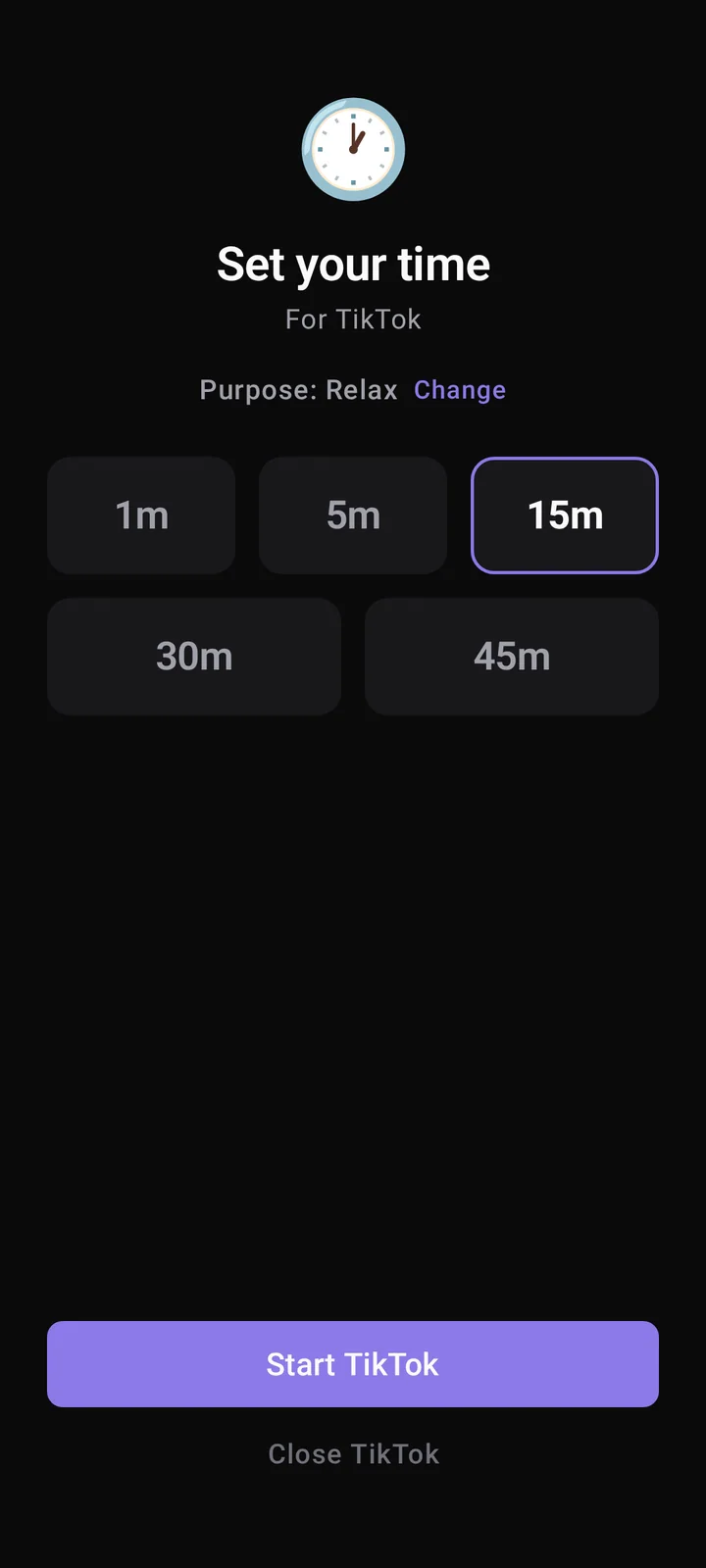 Duration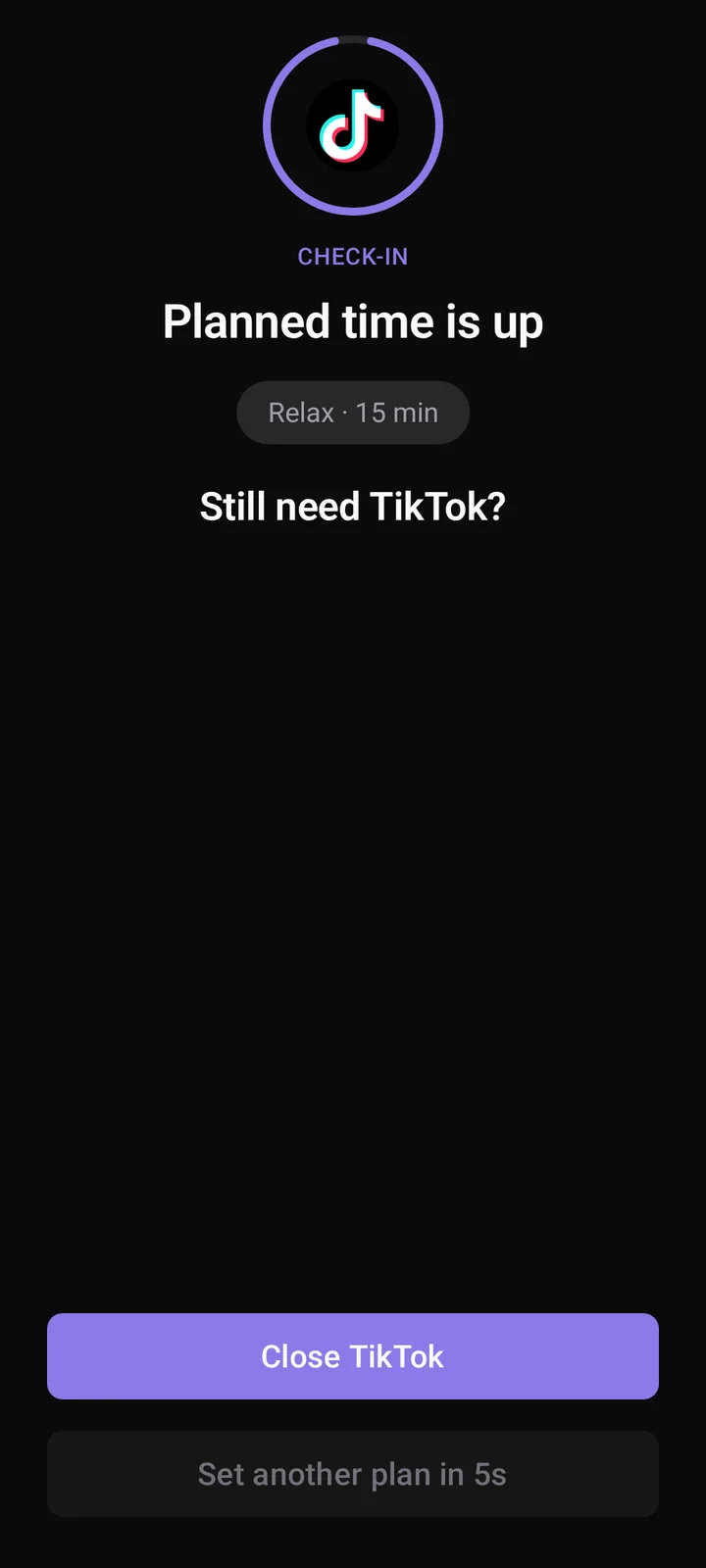
Why LoopCut is different
A static reminder stays the same. LoopCut grows stronger each time you continue.
Stopping stays easy. Continuing becomes more deliberate.
How it works
LoopCut is an Android screen-time app built around Progressive Friction.
Pause
Before openingPlan
Choose why and how longStop
Leave when your plan endsProgressive Friction
Progressive Friction means that each repeated extension becomes more deliberate—from a simple check-in to a real reset.
Check-in
Notice the plan ended.
Exact waiting times depend on the selected Gentle, Balanced, or Strong protection level.
Built for real life
Quick Task
Get short, limited access for the task you actually need.
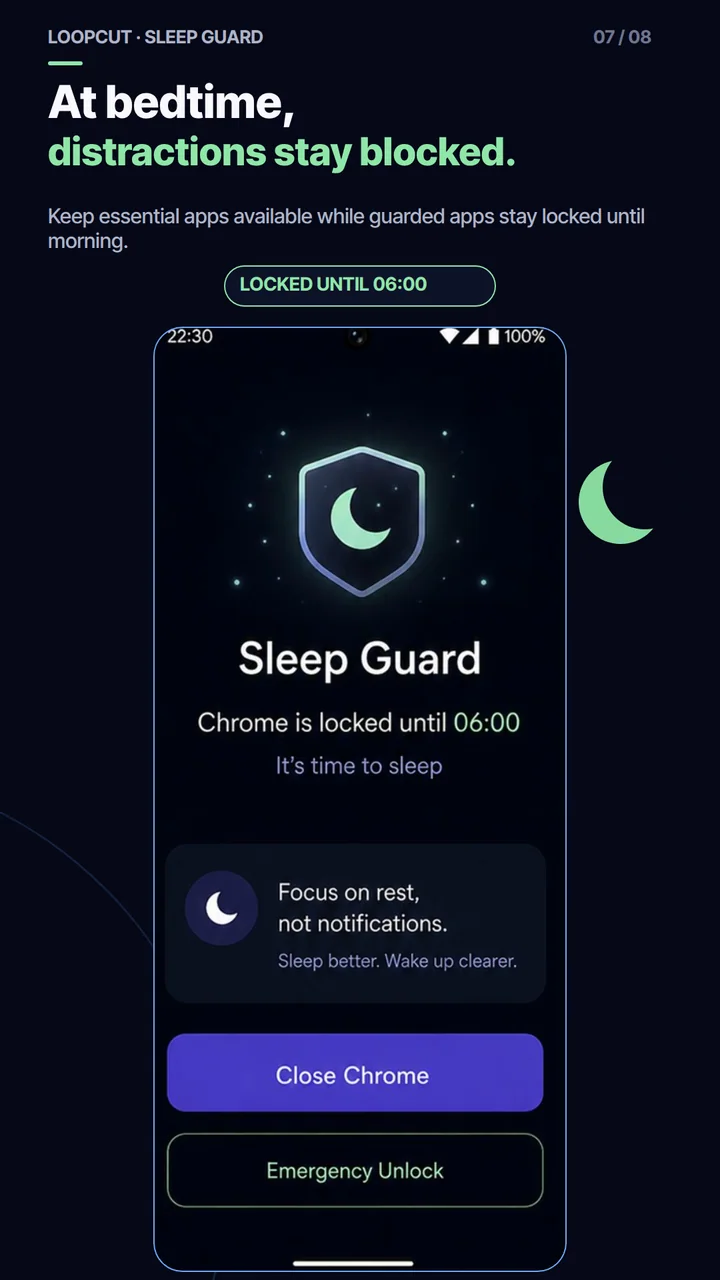
Sleep Guard
Guarded apps stay unavailable while essential access remains possible.
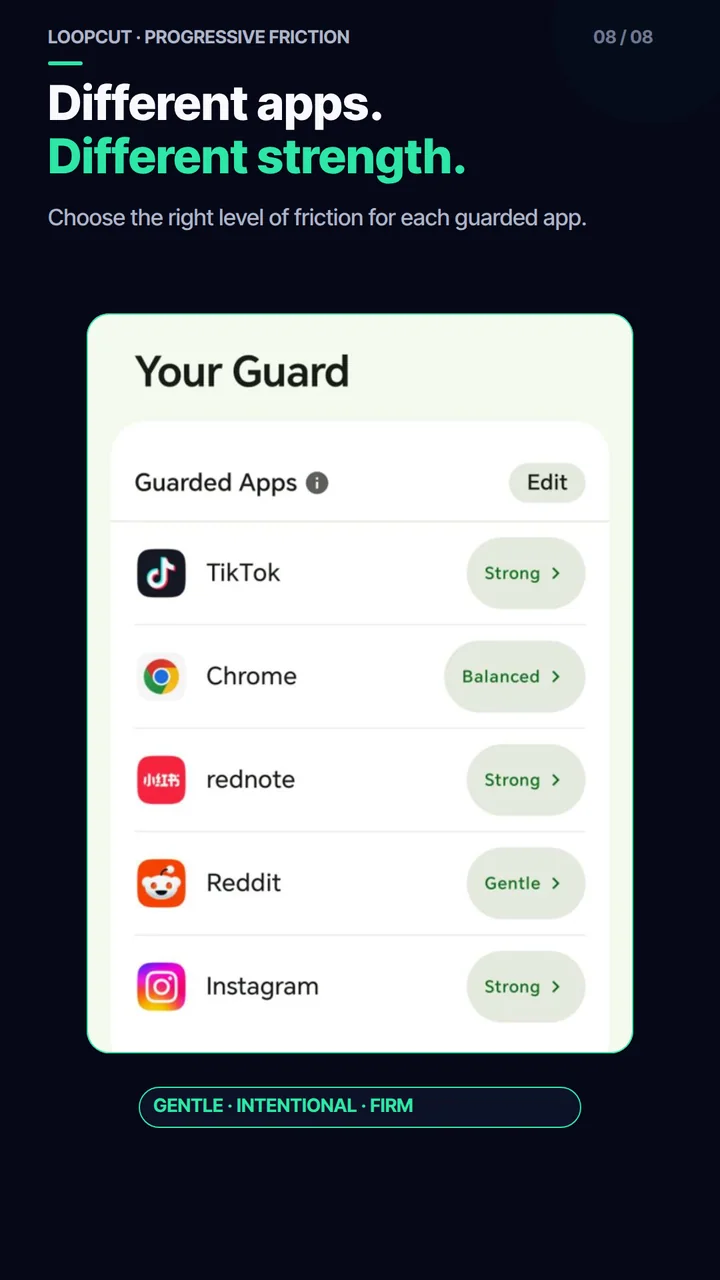
Per-app strength
Choose Gentle, Balanced, or Strong protection for each app.
Built responsibly
Personal content is not read.
Built around related behavioral research.
Designed for Android app-opening behavior.
Why LoopCut is different
A static reminder stays the same. LoopCut starts gently and makes each repeated extension more deliberate—from a simple check-in to a real reset.
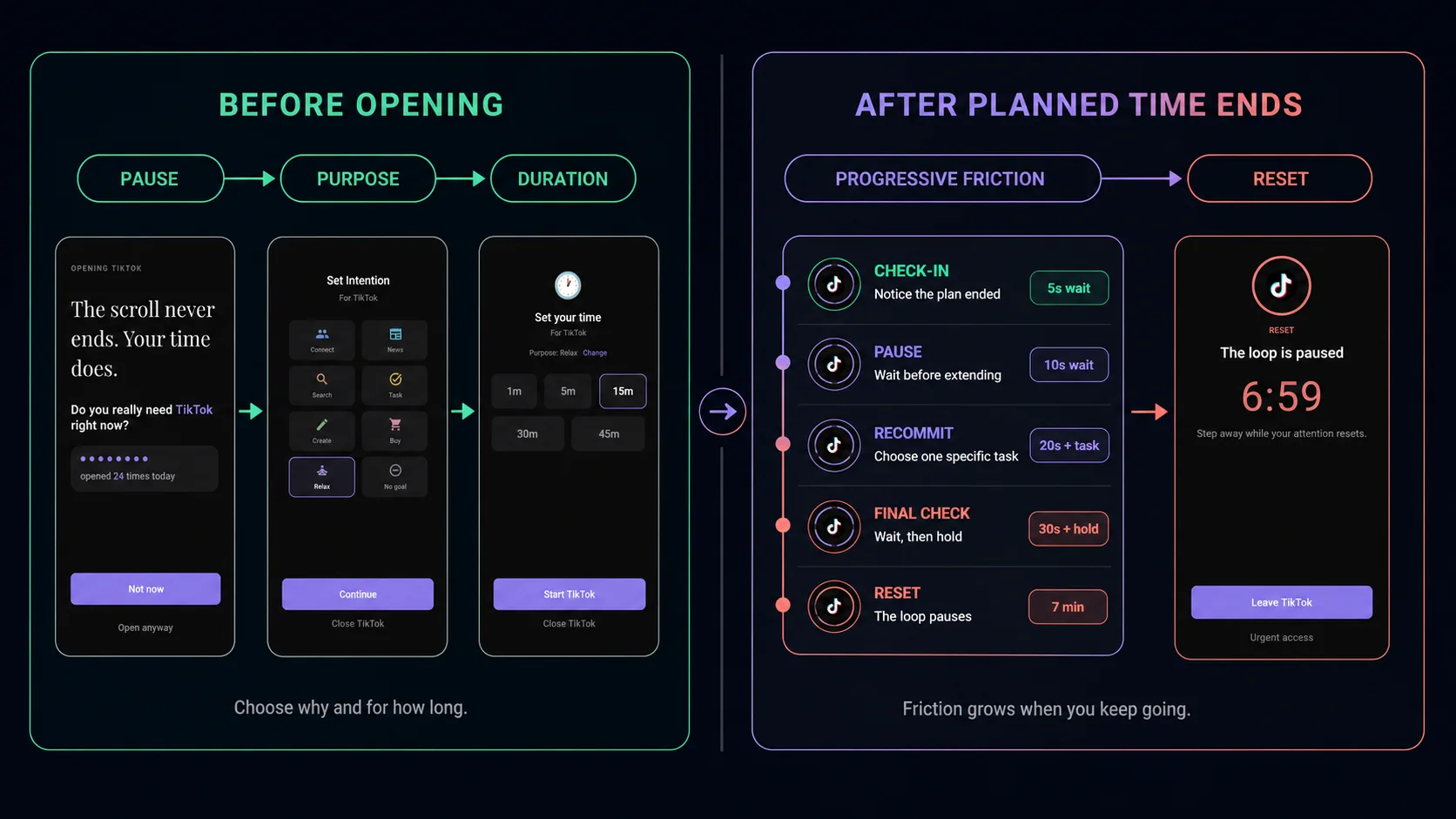
Progressive Friction
A single reminder can be easy to dismiss. LoopCut starts with the lightest useful intervention and adds more deliberate friction only after repeated extensions.
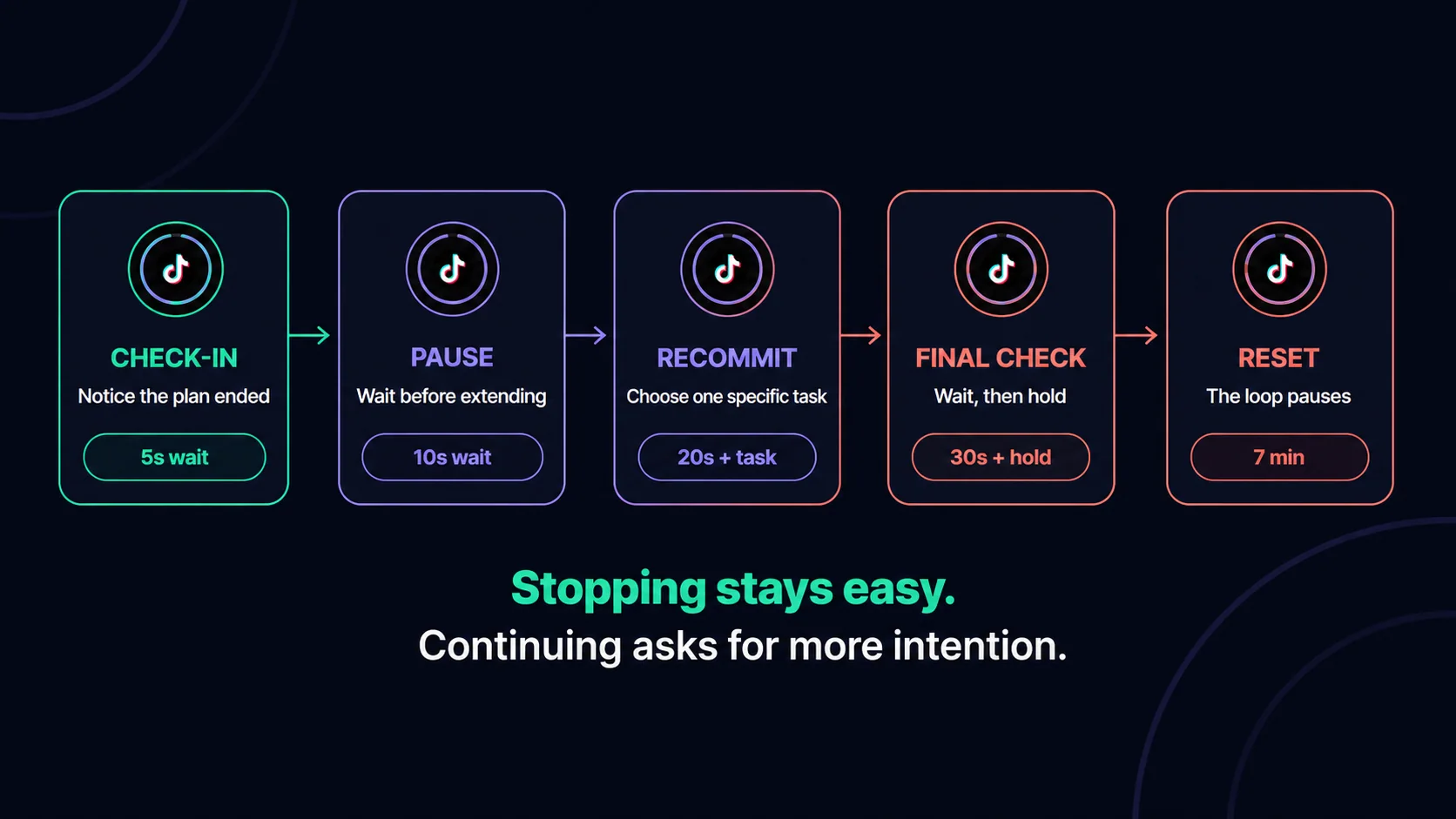
Exact waiting times depend on the selected Gentle, Balanced, or Strong protection level.
Stopping stays easy.
Continuing becomes more deliberate.
Built for real life
Keep useful apps available without making every moment equally easy to extend.
01
Reply, check a link, scan a QR code, or handle something urgent with short, limited access—without turning protection off.
02
Keep guarded apps unavailable during the bedtime window while essential apps remain accessible. Urgent access stays possible when genuinely needed.
03
Choose Gentle, Balanced, or Strong protection for each guarded app. Useful apps can stay lighter while the hardest-to-leave apps receive stronger intervention.
Research-informed design
LoopCut’s approach is informed by peer-reviewed research on app-opening self-nudges and design friction in infinite-scroll interfaces. These studies examined related intervention mechanisms; they did not test LoopCut itself.
Self-test
Answer a few questions about when and why scrolling takes over, then get a practical next step for your pattern.
Privacy
LoopCut uses Android Accessibility Service only to detect when selected apps open and display the appropriate pause, plan, checkpoint, Quick Task, or Sleep Guard screen.
It does not read messages, typed text, browsing history, notifications, or personal content.
FAQ
Straight answers about Progressive Friction, access, and Android permissions.
Progressive Friction means the intervention becomes more deliberate when earlier pauses are not enough. LoopCut moves from a simple check-in to waiting, recommitment, a final confirmation, and—after repeated extensions—a temporary reset.
No. LoopCut is a screen-time and focus app built around smart and progressive friction. Sleep Guard and Reset can temporarily prevent normal access, but LoopCut’s main approach is proportional intervention rather than an immediate all-day lockout.
Yes. Quick Task and urgent access are designed for real situations such as replying, checking a link, scanning a QR code, or completing one important action.
Progressive Friction means the intervention becomes more deliberate when earlier pauses are not enough. LoopCut moves from a simple check-in to waiting, recommitment, a final confirmation, and—after repeated extensions—a temporary reset.
No. LoopCut is a screen-time and focus app built around smart and progressive friction. Sleep Guard and Reset can temporarily prevent normal access, but LoopCut’s main approach is proportional intervention rather than an immediate all-day lockout.
LoopCut first gives you a clear stopping point. You can leave immediately. If you choose to continue repeatedly, each later checkpoint asks for more intention.
Yes. Quick Task and urgent access are designed for real situations such as replying, checking a link, scanning a QR code, or completing one important action.
Android Digital Wellbeing mainly provides usage information and app timers. LoopCut focuses on the decision moments before opening and after the planned session ends.
It is required to detect when selected guarded apps open and display the correct LoopCut intervention reliably. LoopCut does not use it to read personal content.
Start with one guarded app and one intentional plan.